
The kau9 app is your gateway to the most convenient gaming experience in Bangladesh. Slots, fish games, betting — all in one app. Fast loading, easy navigation, and instant payments.
Virus-free, safe download — straight from the official kau9 source
All your games, fast payments, and a seamless gaming experience — all in one app.
The kau9 app loads up to 3x faster than a regular browser and runs smoothly even on a slow connection.
Get bonus offers, free spins, and special event updates delivered straight to your phone — not a single one missed.
Log in instantly with your fingerprint or Face ID — no password needed.
If your connection drops temporarily, the app won't crash. It resumes automatically once you're back online.
Deposit and withdraw directly in the app via Mobile Banking, Nagad, or Rocket — no extra steps required.
The dark theme is perfect for late-night sessions — play for hours without eye strain thanks to the comfortable UI design.
Setup takes just a few minutes on both Android and iOS devices.
Open kau9.org in your Android phone's browser and go to the app page.
Tap the "Download Android APK" button. The file will be saved to your Downloads folder.
Go to Settings → Security → Unknown Sources and enable it. You only need to do this once.
Tap the downloaded APK file and press the "Install" button. Installation completes in just 30 seconds.
Open the kau9 app, log in, and pick your favorite game.
Open kau9.org in Safari on your iPhone or iPad. Adding to the home screen is not supported from other browsers.
Tap the Share icon (the square with an arrow) in the bottom menu bar.
Find "Add to Home Screen" in the menu and tap it.
Keep the name as "kau9" and tap the "Add" button at the top.
You'll now see the kau9 icon on your home screen — it works just like a native app.

The quality of your gaming experience depends a lot on the platform. A great app isn't just about game selection — it's about fast loading, smooth navigation, reliable payments, and support whenever you need it. The kau9 app was built with all of that in mind.
Mobile internet usage in Bangladesh keeps growing, with more people handling everything from their smartphones rather than a desktop. kau9 understands this reality and has designed its app with a mobile-first approach. From 5-inch to 7-inch screens, it looks great and performs consistently across all devices.
Many people wonder why they'd need a separate app when the browser works fine. The difference is in the experience. The kau9 app loads significantly faster thanks to smart caching. Biometric login means you never have to type your password again. Bonus offers reach you directly via push notifications. And there's no hassle of switching browser tabs while you play.
Security is the top priority in any online gaming app. The kau9 app uses 256-bit SSL encryption — the same standard as online banking. Your personal and transaction data is fully encrypted at all times. Biometric authentication makes unauthorized access virtually impossible, and you can enable two-factor authentication (2FA) for an extra layer of protection.
Many gaming apps take hundreds of megabytes to download and eat up your phone's storage. The kau9 app is just 35 MB, making it easy to install even on budget smartphones. Game content loads via streaming, so it doesn't take up additional space on your device.
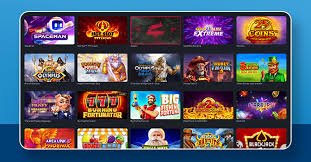
Opening the app takes you straight to a neatly organized game lobby. Category filters at the top let you browse Slots, Fish Games, Bingo, and Live Casino separately. Add your favorites to your Favorites list so you can find them instantly next time. Newly added games are tagged "New" so they're easy to spot. kau9 adds new games regularly, so there's always something fresh waiting each time you open the app.
The payment section of the kau9 app is purpose-built to make transactions as simple as possible. Whether you deposit via Mobile Banking, Nagad, or Rocket, it only takes a few taps. Withdrawal requests can be submitted directly from the app and funds typically arrive within minutes. Your transaction history and status are also viewable right in the app.
Kau9 regularly updates the app with new features and performance improvements. When an update is available, you'll get a notification inside the app. Updates run in the background — no need to stop playing. Recent updates include live chat support, turbo mode spins, and a new payment gateway.
| Features | Android | IOS |
|---|---|---|
| File Size | 35 MB | PWA |
| OS Version | Android 6+ | IOS 13+ |
| Biometric Login | ||
| Push Notifications | ||
| In-App Payments | ||
| Dark Mode | ||
| Offline Mode |
"Since installing the kau9 app, I never go back to the browser. It loads so fast you wouldn't even know your connection is slow."
"Depositing with Mobile Banking has never been easier. Everything works right from the app — no extra steps needed."
"The fingerprint login feature is fantastic. I used to forget my password all the time — that's not a problem anymore."
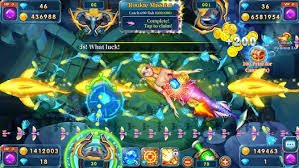
Kau9 believes gaming should be fun, not stressful or addictive. That's why the app includes several responsible gaming features. You can set a daily spending limit to stay within your budget, and temporarily pause your account whenever you need a break. kau9 is committed to helping its users build healthy gaming habits.
Users occasionally run into a few common issues. If the APK won't install, start by checking your Unknown Sources setting. If the app crashes, clear the cache and try again. For login issues, use the password reset option. For anything else, kau9's 24/7 live chat support team is always ready to help.